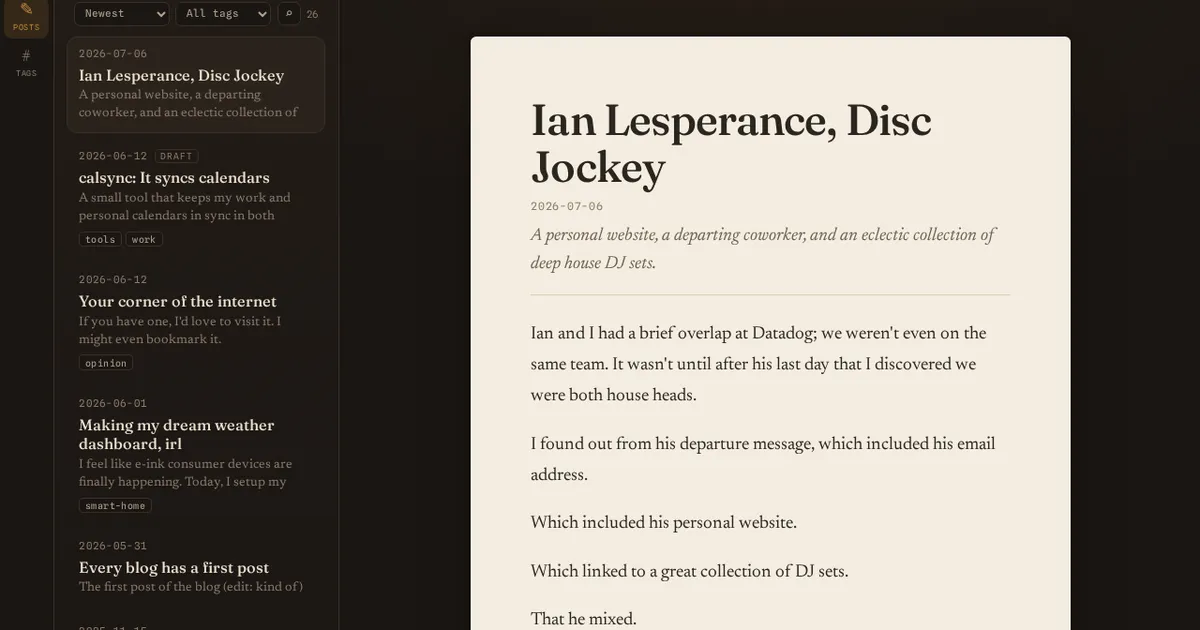
Scribe is a publishing client I built for my own blog. Pages CMS lets you define a site with arbitrary collections and fields, which is flexible but makes editing through a generic CMS form a chore. Scribe reads that schema and hands each content type a first-class editing experience - a real block editor for posts, a tag manager - while preserving anything it doesn’t have a dedicated editor for as raw, editable fields.
How it works
- Schema-driven. It parses the site’s
.pages.yml, auto-detects collections and fields, and a setup wizard maps each collection to an editing experience written into a config file. - Lossless markdown. The riskiest code is a custom TipTap parser/serializer that round-trips markdown byte-stably, including verbatim raw HTML blocks and captioned images. It’s covered by round-trip fidelity tests.
- Image upload built in. Paste or drag an image and it enters a staging state - pick a name and destination - before it’s shipped to object storage or copied into the site’s local media dir.
- Pluggable auth. Runs open for local dev, or as a full OpenID Connect client (Authorization Code + PKCE + refresh, server-side sessions, optional group gate). In my homelab it’s the reference app secured against a self-hosted Hydra and locked to an admin group.
Using it
Open a post and you get a real block editor - slash commands, tables, callouts,
drag-to-reorder, a bubble toolbar for links - not a giant textarea of raw markdown
and not a generic key/value form. The editor is shaped to the content: a blog post
edits like a document, tags get a tag manager, and anything Scribe has no dedicated
editor for stays as plain editable fields instead of being hidden or reshaped.
Paste or drag an image and it doesn’t fire off an upload immediately - it sits in a
staging state where you name it and pick a destination first, so you’re not
littering object storage with pasted-image-1.png. Underneath, everything
round-trips markdown byte-for-byte, so the editor is a view over your files rather
than a format that slowly rewrites them - hand-edit the same markdown in a text
editor and Scribe won’t fight you on the next save.
Notes
Go service over a Git repo checkout plus a private notes store, with a React + Vite + TipTap front end. Markdown stays the source of truth; the editor is just a view over it.
snapshot
reflects scribe@f88f821captured Aug 14, 2026